The problem: a sale is ten small changes at the same minute
A BFCM launch is not one switch. It is the hero banner, the announcement bar, the sale theme, discount codes, a sale collection, a few products going live, and the reverse of all of it on Tuesday morning. Do it by hand and one piece is always late: the banner says "Ends tonight" on Wednesday, or the early-access product goes live for everyone.
What a late switch costs
- Lost first hours. Early BFCM traffic is your email list clicking at midnight; a sale that goes live at 07:00 wastes it.
- Broken promises. A countdown that ends but a banner that stays creates "where is my discount?" tickets.
- Your sleep. Shopify reported a record $14.6 billion BFCM 2025 sales (Shopify); the weekend is too big to run on alarms.
What Shopify Rollouts can schedule for free
Since March 2026, Shopify Rollouts (Markets → Rollouts, Basic plan and up) can publish a theme change at a set time and roll it back at an end date. Per Shopify's help, an Event rollout covers the main theme, checkout configuration, catalogs and (since October 2026) discounts. Use it first if one theme swap is all you need.
What Rollouts doesn't do (and where Maestro fits)
| Change | Shopify Rollouts | Maestro app |
|---|---|---|
| Swap the whole theme at a set time and back | Yes (Event) | Yes (Theme Scheduler) |
| Show/hide one section or block (hero, announcement bar) on a timer | Only by editing the theme in a rollout | Yes, without republishing (Theme Scheduler) |
| Recurring schedules (weekly drops, daily flash deal) | No | Yes |
| Publish/draft products, change prices or tags at a time | Not a rollout change type | Yes (Maestro Products Scheduler, from $4.99/mo) |
| Calendar and history of every change | Rollout list | Yes |
Rollouts facts from Shopify Help and Changelog, checked 28 Oct 2026. Maestro facts from App Store listings.
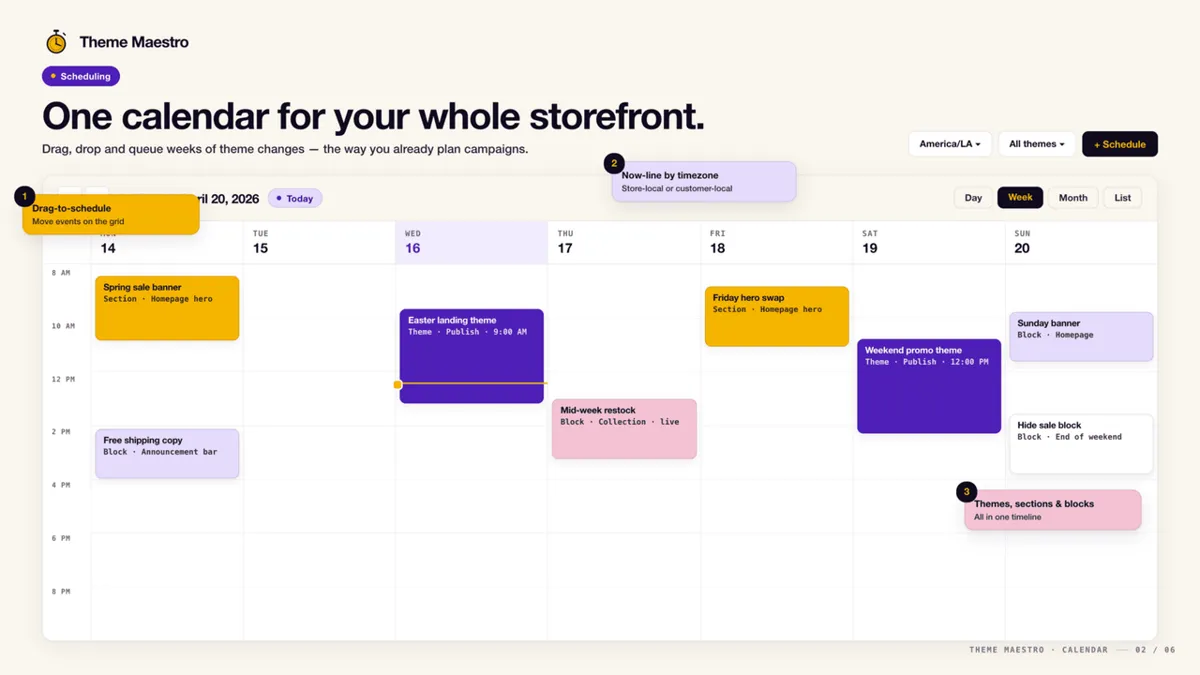
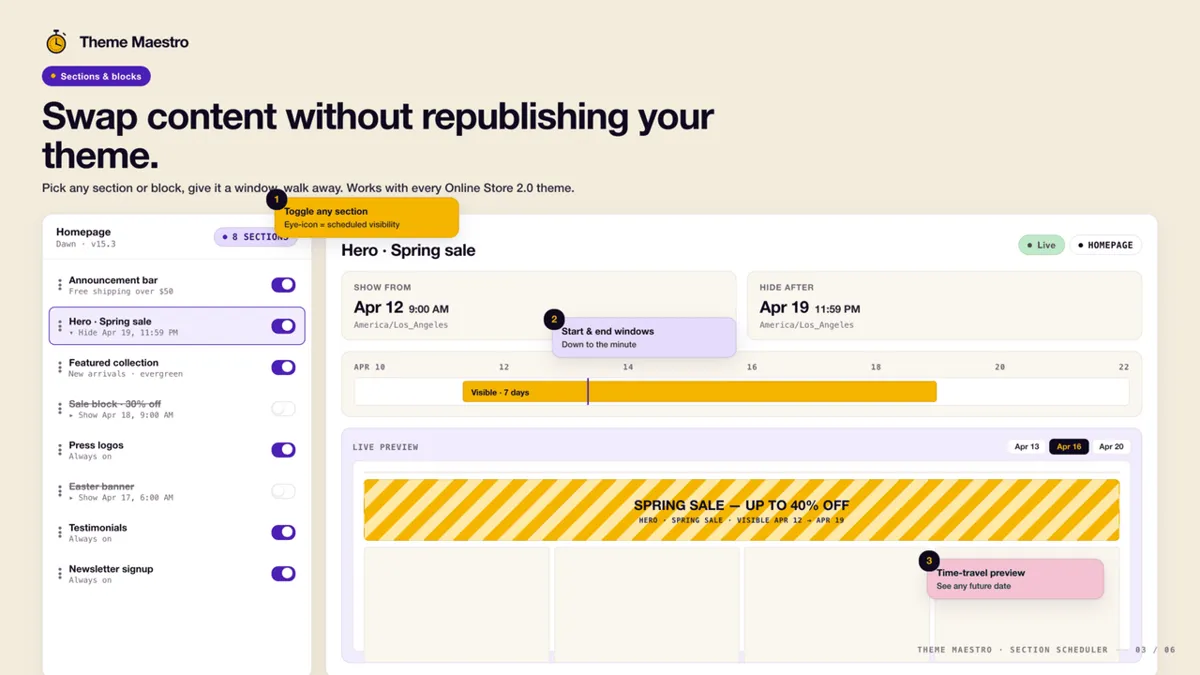
Screenshots: the app's public Shopify App Store listing, 28 Oct 2026. Marketing visuals with sample data.
Who should skip it
- One theme swap on Friday and back on Tuesday: use Rollouts, it's free on Basic and up.
- Discounts only: Shopify discounts already take start and end dates.
- Pick Maestro when you need several sections or banners on different timers, recurring drops, or product publishing and price changes at a set minute. Theme Scheduler is $9.99/mo (3-day trial) or $49/mo for unlimited section schedules; 5.0 from 13 reviews on 28 Oct 2026.
Verdict
Set up Rollouts for the theme swap today. If your BFCM plan has more than one moving piece, banners and announcement bars on their own timers, an early-access drop, products going live, schedule them in Maestro this week while the trial covers your test run, not on Thanksgiving night.
Start the Maestro free trial Our own app affiliate link
Maestro Theme Scheduler is made by XCO Apps, the team behind StoreVetted; we may earn a commission if you subscribe. App facts and prices are from its Shopify App Store listing, checked 28 Oct 2026.